Most people land on an “invoice generator” looking for a PDF they can send today. SpendStat’s free tool does that — and it also covers the other documents freelancers and small businesses need in the same workflow: a Tax Invoice, Quote, Payment Voucher, Receipt, or Credit Note.
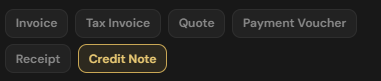
Document types you can generate
- Invoice — standard request for payment after work or goods are delivered.
- Tax Invoice — GST/VAT-ready heading when you need a formal tax invoice for registered clients or your own records.
- Quote — proposal pricing before the job is accepted; same templates and line items, different heading.
- Payment Voucher — record of a payment authorised or made (useful for accounts payable style paperwork).
- Receipt — proof that payment was received.
- Credit Note — reduce or reverse a prior invoice amount when you refund, adjust, or correct a bill.
Choose the heading under Brand & Details (or the one-click presets). Logo, accent colour, client block, line items, and tax settings stay the same so your brand looks consistent across every document type.
How the generator works
Brand, templates, and live preview
Pick an industry template (construction, creative, healthcare, tech, hospitality), add your logo and business details, then edit the client and line items. The live preview updates as you type so you can print or download PDF when it looks right.
GST, VAT, and multi-country tax
Use NZ GST 15%, AU GST, UK VAT, EU VAT presets, or a custom rate and label. Line prices can be tax-exclusive or tax-inclusive. Optional registration / IRD / VAT ID fields print on the document when filled. This is a formatting helper — not tax advice; confirm requirements with your accountant or revenue authority.
Single document or CSV bulk print run
Create one document by hand, or upload a CSV/Excel spreadsheet, map columns by letter, and group rows that share a document number into a batch. Preview any row, then Print All or Download All PDF as one multi-page file — ideal for a month of invoices, quotes, or credit notes from one spreadsheet.
Privacy and no signup
Generation runs in your browser. There is no account to create for the core tool, and your spreadsheet is not uploaded to SpendStat for processing. Drafts can stay in local browser storage until you clear them. That matches the rest of SpendStat’s privacy-first CSV workflow.
When to use each type
- Send a Quote first, then convert the same layout into an Invoice or Tax Invoice once accepted.
- Issue a Credit Note when you need a clean paper trail for refunds or corrections.
- Use a Receipt or Payment Voucher when the other party needs proof of payment rather than a bill.
FAQ
Can SpendStat generate a tax invoice, quote, or credit note?
Yes. Use the document heading presets for Invoice, Tax Invoice, Quote, Payment Voucher, Receipt, or Credit Note. Templates, tax presets, and PDF export work for every type.
Can I create multiple quotes or credit notes from a CSV?
Yes. Set the heading you need, upload CSV or Excel, map columns, then Print All or download one multi-page PDF — all in the browser.
Is the quote and credit note generator free with no signup?
Yes. No account is required for the core generator, and your file stays on your device during generation.